Tap & Copy in Viber: Why Add Promo Codes, Tracking Numbers and Other Copyable Data to Messages
Contents:
Contents:
A customer retypes a promo code and gets one character wrong. Or misses a digit in a tracking number while checking a parcel. In Viber campaigns, Tap & Copy simplifies these actions: the required fragment can be copied with one tap.
What Is Tap & Copy in Viber?
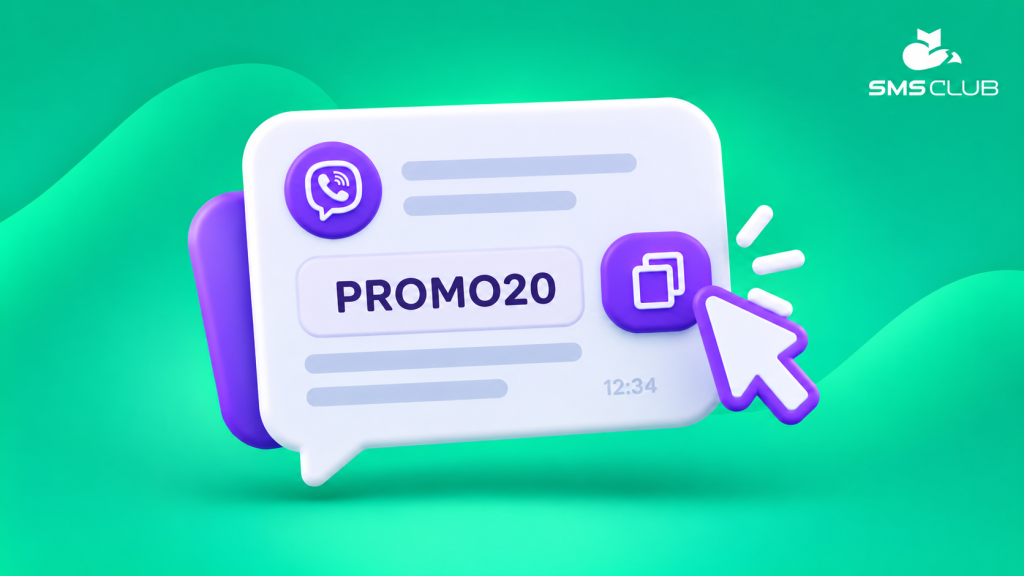
Tap & Copy in Viber is a business messaging feature introduced by the messenger in May 2026. It allows users to copy individual data, such as a coupon or tracking number, without manually selecting the text.
In a regular message, the customer has to find and select the required line. With Tap & Copy, it is enough to tap the prepared fragment: the data is copied to the clipboard and can be pasted into another field.
Copying does not apply the discount automatically. A button or link is still needed for the next step.
What Data Is Useful to Copy?
Primarily, values where a mistake in one character could prevent the customer from completing an action.
- Promo codes and personalized coupons that customers enter during checkout.
- Tracking numbers and order numbers used to check delivery or contact support.
- Reservation numbers, request numbers and short product pickup codes.
- Phone numbers, addresses and payment details that need to be transferred to another app.
Label each value, for example: “Tracking number for delivery tracking”. This helps the customer understand exactly what they are copying.
How Tap & Copy Simplifies the Customer Journey
Fewer actions are required on a smartphone: the customer does not have to remember the code or check every character after entering it. This is especially convenient when the customer is on the move.
For the company, this means fewer support requests such as “the promo code does not work” or “I cannot find my parcel”. However, Tap & Copy cannot fix an expired coupon or an incorrect number in the database.
The effect can also be seen in sales. When customers make fewer mistakes while entering a code, they are more likely to complete the purchase. Compare coupon usage and the number of related support requests before and after introducing the feature.
Where to Use Tap & Copy
A store sends a personalized code: the customer copies it and proceeds to the cart. The delivery scenario is different: the customer copies the tracking number and checks the shipment status.
A salon sends an appointment number, while a service centre sends a request number. If the company uses Viber+SMS cascading delivery, the backup SMS should also contain the code, even without a dedicated copy feature.
Another example is a message notifying the customer that an order is ready. The customer copies the pickup code for the employee at the collection point. It is important not to confuse the pickup code with the order number.
How to Connect It to the Next Action
A copied code is only the first step. Add a button next to it: “Go to cart”, “Track delivery” or “Contact support”. The link should lead directly to the required page.
For example: code SAVE15 and a “Place order” button. The customer copies the code, opens the cart and pastes it into the required field. No unnecessary steps are needed.
How to Format the Message Correctly
Place the code separately from the promotion description and do not add a full stop at the end. If there are several numbers, label each one: “Order” and “Tracking number”.
Do not include the words “code” or “number” in the copied fragment. It should contain only the required characters. Do not split the value with spaces if the form on the website does not accept them.
Automated messages receive data from the CRM or order management system. SMS Club integrations transfer this data for messaging campaigns. Confirm how the copied fragment should be formatted before launching the campaign.
Test the message on different smartphones: check what is displayed and what is copied after tapping the fragment.
What Not to Do
Do not hide the promo code in a long paragraph or place similar combinations next to each other without an explanation. Before sending the campaign, check the code’s validity period, promotion terms and links.
If a link already opens a specific order, asking the customer to enter its number manually is unnecessary. Use Tap & Copy where it genuinely simplifies the action.
Frequently Asked Questions
What Is Tap & Copy in Viber?
It is a feature for Viber business messages that allows customers to copy a separate text fragment with one tap. It is useful for discount codes, order numbers and parcel tracking. Unlike regular copying, customers do not need to select the required characters manually.
What Data Can Be Copied with One Tap?
Primarily short values that customers need to transfer to another field: promo codes, tracking numbers, request numbers and reservation numbers. For phone numbers, addresses and other data, check whether this formatting is supported when preparing the message. The main requirement is that the customer understands what the fragment is intended for.
Can Tap & Copy Be Used for Promo Codes?
Yes. Copying a promo code in Viber is one of the use cases presented by the messenger itself. The customer copies the code from the message and pastes it into the cart. However, the discount is not applied automatically: you need to provide an input field, set the coupon’s validity period and clearly explain the promotion terms.
How Do You Add a Tracking Number to a Message?
First, the order system must transfer the correct shipment number. In the message, label it clearly, for example “Tracking number”, and add a link to check the delivery status. The way Tap & Copy is configured depends on the connected solution, so confirm the setup with the provider.
Does the Feature Work on All Devices?
Do not assume that the feature will display identically without testing. Support depends on the app version and the availability of the feature in the specific business messaging format. Before sending a mass campaign, test several devices and prepare clear fallback text in case one-tap copying is unavailable.