7 Repetitive Customer Questions Businesses No Longer Need to Answer Manually
Contents:
Contents:
“How much does it cost?”, “When will the delivery arrive?”, “Is it available in another color?”… Employees answer dozens of similar questions every day. Each one takes only a few minutes, but together they consume time that could be spent on consultations, complex orders, and working with potential customers.
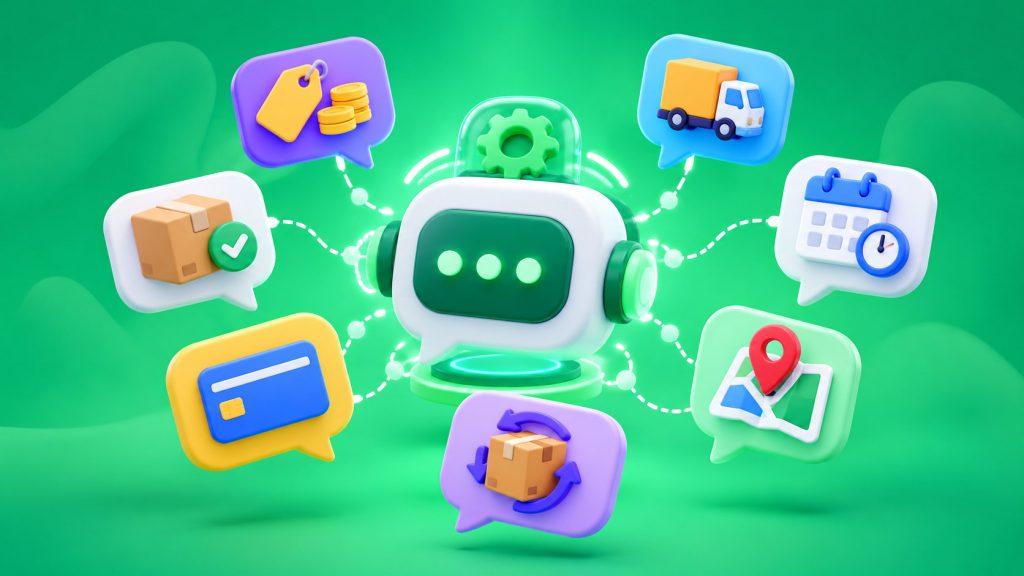
Some of these inquiries are worth automating. A chatbot answers typical questions, checks data in connected systems, collects the information needed for a request, and forwards more complex inquiries to an employee. For this purpose, you can use chatbots for businesses. The key is not to automate everything at once, but to start with questions that have clear answers.
1. “How much does it cost?”
Online stores, salons, clinics, and service companies regularly receive questions about prices. If the service has a fixed price, the chatbot can provide it immediately and explain what is included.
For more complex services, the scenario can be structured differently. The bot clarifies the type of service, the scope of work, and other parameters, then provides a preliminary estimate based on approved rules or creates a consultation request.
It is important to keep prices up to date. If the cost depends on individual conditions, the bot should not provide the final amount without verification.
2. “Is the product in stock?”
A customer has found the right product but wants to check the size, color, or quantity in stock before placing an order. An employee spends time searching for information even though the answer is already available in the inventory system.
If the chatbot is connected to the product catalog or inventory management system, it can check the available options and display up-to-date information. If necessary, the bot can suggest an alternative product or help the customer proceed to checkout.
If inventory data is updated with a delay, the bot should warn the customer that availability needs to be confirmed. Do not promise that a product is available based on outdated information.
3. “When will the delivery arrive?”
Questions about delivery times are especially common after an order has been placed. The customer wants to know when to expect the parcel, while the employee has to find the shipment number and check its status.
Automation helps solve both tasks. The bot explains standard delivery times and, after confirming the order details, checks the current status through an integration with the order management system or delivery service.
If the parcel is delayed, lost, or its status does not reflect the actual situation, the inquiry should be transferred to an employee. A standard answer will not solve a problem with a specific shipment.
4. “Where are you located and when are you open?”
Customers regularly look for the address, opening hours, contact methods, and service terms before visiting a business or placing an order.
A chatbot can provide this information at any time, including evenings and weekends. For companies with several branches, it can also ask for the customer’s city or district and display the contact details of the relevant location.
Information must be updated whenever the opening hours, address, or operating rules change. Otherwise, automation will quickly become a source of errors.
5. “Did the payment go through?”
A customer has made a payment but has not received confirmation. They contact support, while an employee checks the order, opens the payment system, and finds out whether the funds have been credited.
If the bot has access to the current order or payment status, it can provide the result of the check. The customer receives an answer faster, and the employee does not have to spend time on every typical inquiry.
At the same time, the bot should not confirm a payment based solely on the customer’s statement. If the status is unclear, the funds were charged twice, or the information is inconsistent, a specialist must verify the situation.
6. “How can I book or reschedule an appointment?”
Clinics, salons, and service companies regularly receive requests to book an appointment, change the appointment time, or cancel a reservation.
The chatbot collects the necessary details, displays available time slots from the current schedule, and helps confirm the appointment. With the right configuration, it can also accept rescheduling requests and update the information in the system.
This reduces the number of calls and messages handled by an administrator. However, the bot must check whether the time slot is still available before confirming the appointment, so that two customers are not assigned the same slot.
7. “How can I return a product or cancel an order?”
Return terms, deadlines, required documents, and exchange procedures often generate the same questions. A chatbot can explain the approved rules, outline the next steps, and collect the information needed for a request.
If a customer wants to return a product, the bot asks for the order number and reason for the request, then forwards the information to the responsible employee or launches the relevant procedure.
Do not allow automation to reject non-standard requests, resolve disputes, or promise a refund before verification. Such decisions require human oversight.
Before choosing the right scenarios, it is also worth comparing chatbots for messengers and determining which channel best matches your customers’ inquiries.
How to determine what should be automated
Start by reviewing inquiries in your CRM, messengers, and customer support channels. Collect the questions that appear most often and calculate how much time the team spends answering them.
At the first stage, choose inquiries with predictable answers and a low risk of error. Prepare up-to-date information, configure the scenario, and test it in both typical and non-standard situations.
It is equally important to define the rules for transferring a conversation to an employee. Complaints, disputed payments, exceptions to the rules, and questions for which the system has no reliable answer should not remain without employee attention.
Chatbots can be integrated with a CRM to receive current data about requests and orders, store communication history, and transfer results automatically. For this purpose, you can use SMS Club integrations. Define in advance which systems exchange information and who is responsible for keeping it up to date.
How to evaluate the results of automation
The number of automated replies alone does not demonstrate effectiveness. Track how many questions the bot resolved without employee assistance, how the waiting time changed, and whether the number of repeated inquiries decreased.
Also check whether the number of complaints and errors has increased. If customers constantly ask to speak with an employee or repeat their questions after receiving the bot’s answer, the scenario needs improvement.
You do not have to start with all seven areas at once. Automate several of the most common inquiries, evaluate the results, and gradually expand the scenarios. This allows the team to gain practical benefits without rebuilding the entire process.
Frequently asked questions
Which customer inquiries should be automated first?
Start with questions about prices, opening hours, delivery, and product availability. They usually have clear answers that are easy to verify. Choose the area based on the number of inquiries and the time employees spend handling them.
Does a small company need a chatbot?
Not always. If there are only a few inquiries, prepared answers may be enough. When employees repeat the same tasks every day, a chatbot helps reduce manual work and process requests faster.
Can a chatbot completely replace an employee?
No. A chatbot is effective in typical scenarios where the answer is based on verified data. Complaints, non-standard orders, disputed payments, and individual arrangements require employee involvement.
How can you tell whether automation is working?
Compare response time, the share of inquiries resolved without an employee, the number of errors, and customer satisfaction before and after automation is launched. If automation is genuinely helping, the team spends less time on repetitive questions without a decline in service quality.