

AI Agents in Customer Communication: Which Actions Can AI Take, and Where Are Strict Rules and Oversight Needed?
Contents:
Contents:
An AI agent isn’t just a chat system that generates responses. It identifies the intent behind an inquiry, searches for data in connected systems, and performs approved actions. For example, it checks an order status in a CRM or creates a task for a manager.
An agent differs from a regular chatbot in its ability to take action. The more access it receives, the more important it becomes to define boundaries. Without rules, AI can use outdated data, make up an answer, or perform an unplanned action. Learn more about the differences in AI agent or scripted chatbot.
What Tasks Can You Assign to an AI Agent?
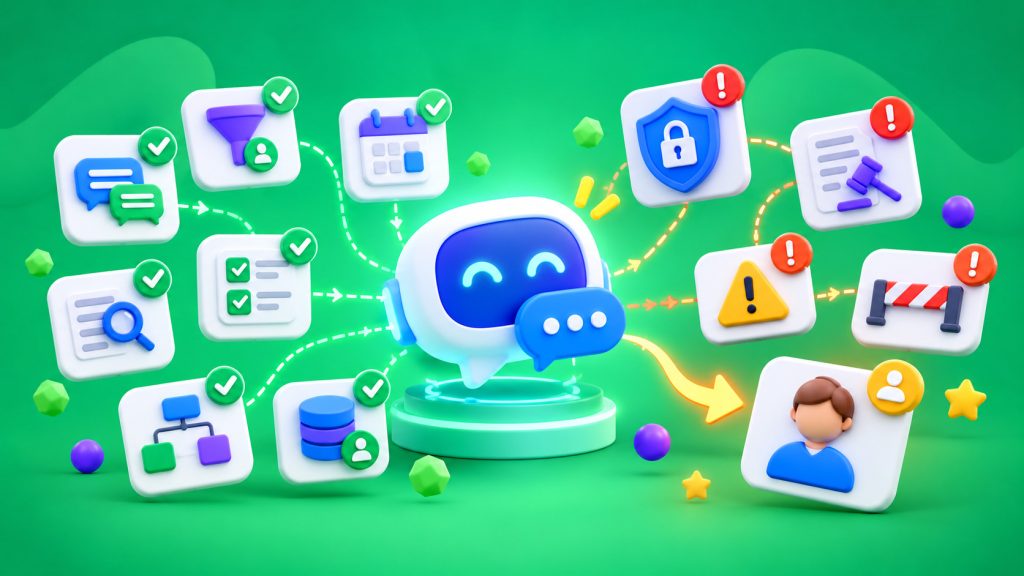
Start with recurring inquiries where responses are based on verified data. An agent can explain shipping and payment terms, clarify the type of request, collect information for an inquiry, check an order status, and transfer a conversation to the appropriate department. Businesses can also use SMS Club chatbots to automate common inquiries.
It can also create an inquiry or add a conversation summary to the CRM. Define specific permissions and fields. Access to the entire database isn’t necessary for a single check. Start with a setup where an employee reviews the response before it’s sent.
Which Actions Should Be Restricted?
Strict rules are needed for actions that affect money, order terms, or customer trust. An agent shouldn’t independently change prices, approve individual discounts, confirm refunds, cancel paid orders, or promise a timeframe that isn’t in the system.
Allow it to explain approved terms, collect information, and submit requests for approval. If a decision has financial consequences, an employee or a separate process that verifies authorization should confirm it.
Similarly, an agent shouldn’t make up an answer when the database doesn’t contain the necessary information. A safer option is to explain that verification is needed and transfer the inquiry to a manager.
Define the Rules Clearly
Instructions like “respond professionally” aren’t enough. Define which sources the agent uses, which CRM fields it can read or change, which messages it can send independently, and when it must transfer a conversation to a manager.
If the CRM shows the status “shipped,” the agent should report exactly that. It shouldn’t change the status to “delivered” or promise delivery tomorrow without confirmation from the system.
A conversation should be transferred to a manager when there’s a complaint, payment error, conflicting information, repeated misunderstanding of the request, or a direct request from the customer. Along with the conversation, provide a short summary: the reason for the inquiry, information already verified, and the customer’s expectations. After the transfer, the agent shouldn’t respond at the same time as the employee.
Limit Access to Personal Data
An agent only needs the data required for a specific task. To check delivery, an order number and information needed to verify the customer are usually enough. There’s no need to share the entire purchase history or payment details.
Separate access permissions by role, protect integration keys, and record the agent’s actions in a log. You can use CRM integrations to connect systems.
How to Launch Automation
Start with one workflow—for example, checking order status or answering frequently asked questions. Prepare an up-to-date information source, a list of permitted actions, and rules for transferring conversations to a manager. After testing, allow simple responses to be sent automatically while leaving high-risk decisions to employees.
Track errors, repeat inquiries, complaints, and the percentage of conversations transferred to managers. If quality declines, restrict the workflow and identify the cause.
Inform Customers That They’re Communicating With AI
Customers should understand whether an automated agent is responding to them. For companies subject to the relevant EU legal requirements, certain AI Act transparency rules began applying on August 2, 2026, including requirements to inform people when they’re interacting with AI systems. The details depend on the circumstances of use.
An AI agent is useful when it understands the limits of its authority. Routine inquiries should be automated, while financial decisions, conflicts, and handling sensitive data should remain under supervision.
Frequently Asked Questions
How is an AI agent different from a chatbot?
A scripted chatbot primarily follows predefined conversation paths. An AI agent interprets requests, searches for data in connected systems, and performs permitted actions, so it requires clearer restrictions and oversight.
Can an AI agent respond to customers independently?
Yes, for routine inquiries with verified answers. Price changes, refunds, unusual promises, and disputed situations must be approved by an employee.
What data should you provide to an AI agent?
Only the data needed for the task, such as an order number and its status. Restrict access to the entire CRM, don’t share unnecessary payment or sensitive data, and log the agent’s actions.
When should a conversation be transferred to a manager?
When there isn’t enough information, the system contains conflicting data, the customer complains, or they request a human representative. Transfer the conversation context so the customer doesn’t have to repeat their request.