
Instagram Direct Automation: When Quick Replies Are Enough and When You Need a Chatbot
Contents:
Contents:
The same questions often come up in Instagram Direct: “What’s the price?”, “Is it in stock?”, “When will it be delivered?”, or “How do I book?” When message volume is low, a manager can use prepared templates. But after an ad campaign launches or a Reel performs well, the number of messages can increase quickly, leaving some potential customers without a response.
The key is not to automate everything. A complex bot is unnecessary for a few repetitive questions. But if customers move through Instagram Direct from their first question all the way to a lead, appointment, or order, saved replies alone are no longer enough.
What Quick Replies Can Do
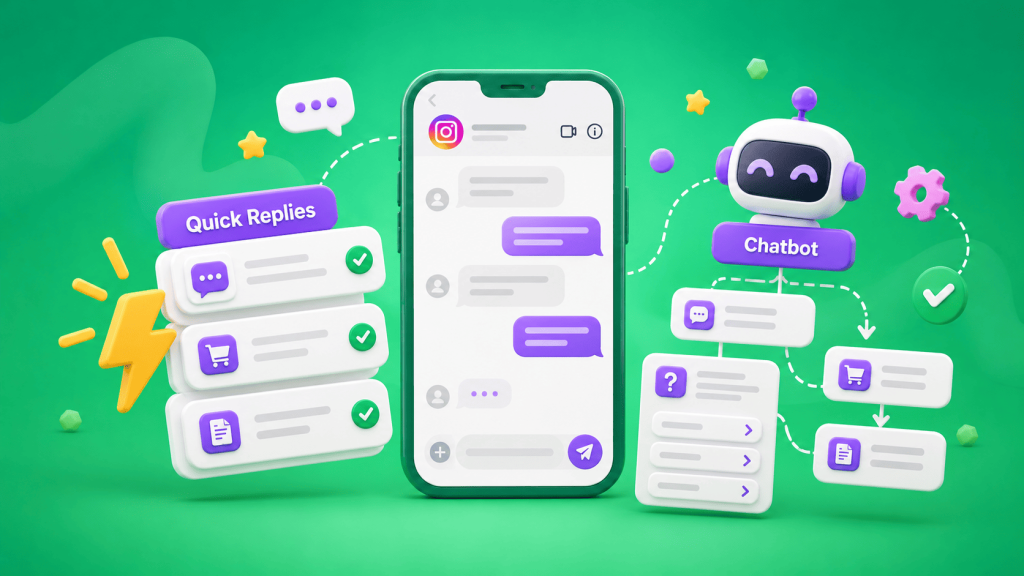
A quick or saved reply is a prepared message that a manager inserts into a conversation instead of typing it from scratch every time. For example, you can prepare answers about delivery, business hours, payment options, or your address.
This works when the manager still reads every message and decides what to send. A template saves typing time, but it does not handle the conversation without employee involvement.
Professional Instagram accounts offer basic automated replies and FAQs, while some automation options can be configured through Meta Business Suite. For a simple first interaction, that may be enough.
When Quick Replies Are Enough
Templates are usually sufficient when Direct is not a separate sales funnel. For example, customers may mainly ask about pricing, location, delivery, or availability, and the manager continues the conversation manually after sending the initial response.
Review your Direct message history from the past two or three weeks. If most conversations can be handled with a few short replies, start with templates.
When You Need a Chatbot
A chatbot becomes useful when customers need to move through several consecutive steps without waiting for a manager.
For example:
comment on a Reel → Direct message → product selection → city confirmation → contact details → lead in CRM.
Or:
the word “price” in Direct → service selection → package selection → appointment booking → handoff to a manager.
In this type of workflow, a quick reply handles only the first response. After that, an employee still has to ask every customer the same questions manually.
An Instagram chatbot can run automated Direct workflows, respond to comments and Stories, collect contact information, and send data to a CRM. It can also hand conversations off to a manager.
Do Not Turn Direct Into a Questionnaire
One common mistake is turning the chatbot into a ten-question form. If a name, phone number, and selected service are enough to create a lead, there is no reason to collect five additional details right away.
Collect only the information required to complete the next step. The manager can ask for everything else after the contact has been handed off.
Automate the Move From Comments to Direct
For Instagram, moving users from public interactions into Direct can be an important workflow. For example, a business may ask users to comment with a keyword under a post. Once the comment is submitted, the bot launches a private flow and sends the relevant information.
SMS Club supports automated responses to comments, Stories, and keywords, followed by communication in Direct. This is more efficient than manually reviewing dozens of identical comments and messaging each person individually.
When a Manager Should Step In
Automation should not keep customers inside the bot at all costs. If the question is unusual, the customer needs a consultation, asks to speak with an employee, or the workflow cannot understand the response, the conversation should be handed off.
The manager should also receive all previously collected information: what the customer selected, what contact details they provided, and where they stopped in the flow. Automated replies should then be paused so the bot and the employee do not respond at the same time.
Connect Direct to Your CRM
If the bot captures a lead but it remains only inside Instagram, the automation stops halfway.
The contact should ideally be sent directly to the CRM along with the source, selected service, and any other necessary information. SMS Club supports transferring data from an Instagram chatbot to a CRM and saving the conversation history.
This means managers do not need to copy contact details manually, while supervisors can see the actual results generated by Direct.
How to Choose Between the Two
Do not count followers—count conversations. Look at how many messages you receive, how many questions are repetitive, how many steps it takes to reach a lead, and whether managers manually transfer information between systems.
If your goal is simply to answer a few common questions faster, start with templates and basic automated replies. If Direct has already become a sales channel with ads, keywords, leads, and repeatable workflows, a chatbot can eliminate much more manual work.
Frequently Asked Questions
What is the difference between a quick reply and a chatbot?
A quick reply is a prepared message that a manager manually inserts into a conversation. A chatbot starts a workflow automatically, responds to predefined customer actions, asks questions, collects information, and sends the lead to the next step.
When should you not use a chatbot?
If message volume is low, most inquiries are unique, and the sales process requires a consultation from the first message, a complex workflow may only add unnecessary steps. In that case, short templates for managers are usually enough.
Can a bot send Instagram leads to a CRM?
Yes. The workflow can collect contact details and other required information and then send it to the CRM. SMS Club supports this type of integration for Instagram chatbots.
Should responses to comments be automated?
If the same keywords or questions regularly appear under your posts—yes. A customer can be moved into Direct after leaving the relevant comment, and the private workflow can continue there.