
Verified Senders in SMS, Viber, and RCS Messages: How to Build Customer Trust
Contents:
Contents:
A customer receives a message about a payment, delivery, or promotion. Before reading the message itself, they see who sent it. If a random phone number or unfamiliar sender name appears instead of a recognizable company name, the message immediately feels less trustworthy.
That is why sender identity is more than a visual detail. It helps customers quickly understand who is contacting them and distinguish an official message from spam or someone impersonating a well-known brand.
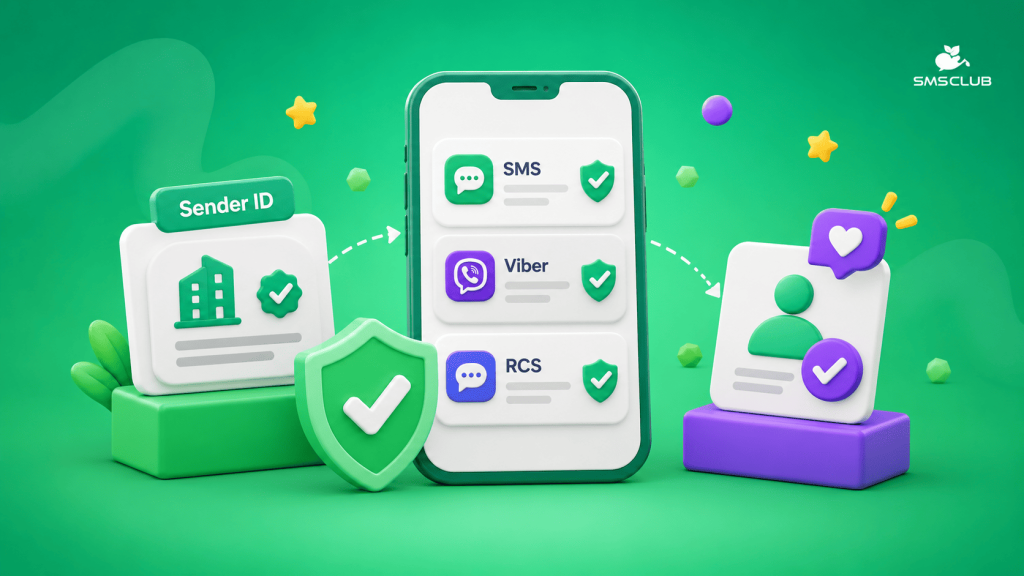
SMS, Viber, and RCS handle sender identity differently. SMS uses a registered sender name, Viber uses an official business account, and RCS can display a verification badge next to the brand name after the business has been verified.
What Customers See in SMS
In SMS, the sender is identified by an alphanumeric Sender ID—a text-based sender name shown instead of a phone number. For example, customers see the name of a store or service rather than an unfamiliar string of digits.
SMS Club defines the alphanumeric Sender ID as the sender identifier and states that a personal or universal sender name must be registered for bulk messaging. When sending SMS through the service, the sender name goes through a registration process.
It is important not to confuse an alphanumeric Sender ID with a verification badge. In a standard SMS, customers see the registered sender name, but there is no separate checkmark like there is in Viber or RCS.
What a Sender Name Should Look Like
The best option is a name the customer already recognizes. If the store is called ABC Market but the SMS comes from ABCRMKT2026, the recipient has to figure out who sent the message.
In SMS Club, an alphanumeric Sender ID can contain Latin letters and numbers and is limited to 11 characters. If the brand name needs to be shortened, it should still remain easy to recognize.
How Verification Works in Viber
With Viber Business Messages, a company goes through a verification process. Once approved, the official business account receives a blue verification badge, and the profile can display the brand name, logo, description, website, and contact information.
Rakuten Viber states that companies wishing to send official Business Messages go through a manual review process. For customers, this provides a clear signal that the message came from a brand that has completed the verification process.
With SMS Club, setting up Viber messaging also includes verification and registration of the sender name.
How RCS Differs from SMS
RCS makes the sender more visible. In the conversation, customers can see the company name, logo, and verification badge if the brand has completed verification.
Google explains that a verification badge appears next to the name of a verified RCS sender. Before launching RCS for Business, the brand goes through a verification process that requires confirming company information and authorization to manage the corresponding RCS agent.
Once the process is complete, Google Messages automatically displays the verification badge. The profile also shows the brand name and logo instead of relying on a standard phone number.
Verification Does Not Replace Clear Messaging
Even an official sender can lose trust if the message itself looks suspicious.
Customers should understand why they received the message. “Your order #1254 has been handed over for delivery” makes sense after a purchase. A message that says “Click this link immediately” without explaining why raises more questions, even if the customer recognizes the brand.
That is why the sender name, message content, and timing should all align.
Keep the Brand Name Consistent Across Channels
Another problem is using different names in different channels. A customer may receive an SMS from MYSHOP, a Viber message from My Shop Ukraine, and an RCS message from MyShop Online Store.
To the customer, these can look like different senders. It is better to define one consistent brand name in advance and use versions that are as similar as possible across all channels.
If the name has to be shortened because of SMS technical limitations, the shortened version should still be clearly connected to the main brand.
What Else RCS Offers
RCS differs from SMS in more than sender presentation. Messages can include multimedia content, buttons, and interactive elements, while customers interact with the brand in their regular messaging app. SMS Club also supports RCS as a separate communication channel.
But these additional capabilities do not change the basic rule: customers first need to understand who is contacting them. That is why the brand name, logo, and verification status remain important parts of the RCS profile.
What to Check Before Launching
Before sending messages at scale, test them on several devices. Check the sender name in SMS, the logo in Viber and RCS, whether the displayed name matches the company’s website, and the first sentence of the message.
Check the links separately as well. The domain should match the brand or at least be familiar to the customer. An unfamiliar URL next to a request to pay for an order can reduce trust.
How to Set This Up in SMS Club
For SMS campaigns in SMS Club, an alphanumeric Sender ID is registered and displayed to the customer as the sender name. For Viber Business Messages, the service works through the official channel, and setup includes verification and selection of the sender name.
It is best to configure this before launching a campaign. That way, transactional, service, and promotional messages are sent from a sender the customer can immediately recognize.
RCS adds another layer. After verification, the brand receives a profile with its name, logo, and verification badge. In this channel, verification becomes part of the overall customer communication experience.
Frequently Asked Questions
Is an Alphanumeric Sender ID in SMS the Same as Brand Verification?
No. An alphanumeric Sender ID is the registered sender name displayed to the SMS recipient. Standard SMS does not include a separate verification badge like Viber or RCS, so these mechanisms should not be treated as the same thing.
What Does a Company Get After Viber Verification?
After verification, the official business account receives a blue verification badge. Customers can also see the brand name, logo, description, website, and contact information in the profile, helping them confirm who the sender is.
How Does a Customer See a Verified RCS Sender?
In Google Messages, a verification badge appears next to the name of a verified brand. The conversation also displays the company’s name and logo, so customers do not have to identify the sender only by a phone number.
Is It Enough to Verify the Sender Once?
Verification alone is not enough to make every message trustworthy. The brand should maintain a recognizable sender name, use clear and familiar links, and send messages that match the customer’s actual actions.