
CRM + SMS + Chatbot: How to Build Sales Automation Without Dozens of Separate Tools
Contents:
Contents:
When automation is built gradually, a familiar situation eventually appears: website leads go into one system, SMS messages are sent through another, the chatbot runs separately, and managers manually copy data into the CRM. Each tool does its job, but together they create unnecessary work.
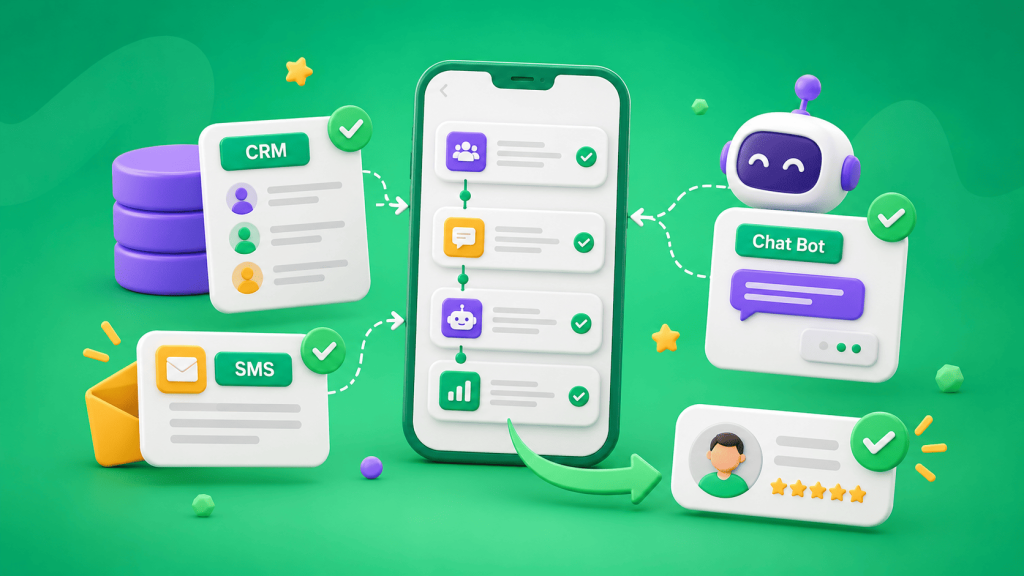
For sales, it is more convenient to build the system around one central hub—the CRM. It stores customers, leads, statuses, orders, and the history of manager activity. SMS and chatbot workflows connect to this data and are triggered by events.
CRM as the Center of Automation
The CRM should answer the main question: what is happening with the customer right now? Did they just submit a lead, are they waiting for a call, have they received an invoice, or have they already paid?
The next actions are triggered by the status:
new lead → CRM record → customer message → manager task → call → status change → next message.
SMS Club supports ready-made integrations with CRM systems, CMS platforms, and e-commerce platforms, as well as API connections. The service states that it supports more than 100 programs and CRM systems for automated messaging.
Do Not Build a Separate System for Every Action
Problems start when a separate tool is connected for every step. One receives the form submission, another sends SMS messages, a third reminds the manager, and a fourth runs the chatbot.
Then you have to keep databases synchronized and troubleshoot several systems at once. If the customer’s status changes in the CRM but that update is not passed along, the customer may receive an outdated message.
Where SMS Fits Into the Workflow
SMS should be tied to specific events: receiving a lead, confirming an appointment, changing a status, sending a payment reminder, or providing a delivery update.
The trigger can be an action in the CRM or on the website. After that, the system sends the phone number, message text, and required variables to SMS Club. The service API supports automated message sending and delivery status retrieval.
It is useful to save both the send event and the result in the CRM so the customer’s full history remains in one place.
What the Chatbot Should Handle
A chatbot works well when the customer needs to perform a simple action themselves: submit a request, check an order, choose a service, or ask to speak with a manager.
The bot should not create another isolated database. Data from the conversation should be sent to the CRM, while the required information from the CRM should be sent back to the bot.
For example, a customer enters an order number. The bot retrieves the current status and displays the answer. If a manager is needed, the CRM creates or updates the lead together with the conversation context.
One Status—One Action
Automation works predictably when each status has a clearly defined action.
“New lead” triggers a confirmation and creates a manager task. “Awaiting payment” triggers a reminder after a defined period. “Paid” stops the reminders. “Sent for delivery” triggers an order status message.
If the rules are not clearly defined, systems start sending duplicate or outdated messages. A customer may have already paid but still receive a payment reminder because one service does not know that the status changed in another.
Why You Need an API
An API transfers information between systems without manual work. For example, after a status change, the CRM sends the customer’s phone number and message text to SMS Club and receives the message status in return.
SMS Club uses HTTP requests and JSON, while access is protected with an authorization token. If a ready-made CRM integration already exists, custom development is not necessary. An API is useful when there is no existing module or when the workflow requires custom logic.
How to Build the System Without Unnecessary Connections
Start with the sales process—not with a list of tools. Map the stages from lead submission to payment and repeat purchase. For each stage, define where the data is stored, which event triggers the next step, and when a manager needs to get involved.
Keep the CRM as the main source of information. The communication service handles messages, while the chatbot handles automated conversations. Data moves between them through a ready-made integration or API.
What to Check After Launch
Run a test lead through the entire workflow. Make sure the CRM record is created, statuses change correctly, messages are sent only once, the bot can access the required data, and the manager receives the lead with the full context.
Also test a repeat submission, an undelivered SMS, and a payment completed before a scheduled reminder.
The main result is not the number of tools connected. The system should reduce manual work and keep important customer information within one coordinated process.
Frequently Asked Questions
Do You Have to Build Automation Around a CRM?
For sales, it is usually the most convenient approach because the CRM already stores leads, statuses, and interaction history. Other channels connect to this data and perform actions after specific events.
When Do You Need an API Integration?
When there is no ready-made integration or when you need a custom data exchange workflow. Through an API, the system can automatically send phone numbers, message text, statuses, and other information without manual copying.
Should the Chatbot Maintain a Separate Customer Database?
No. It is better to keep the main data in the CRM and use the chatbot as an interaction channel. The bot sends new information to the CRM and retrieves the data it needs to respond to the customer.