
How Clinics, Salons, and Service Businesses Can Reduce No-Shows With Automated Messages
Contents:
Contents:
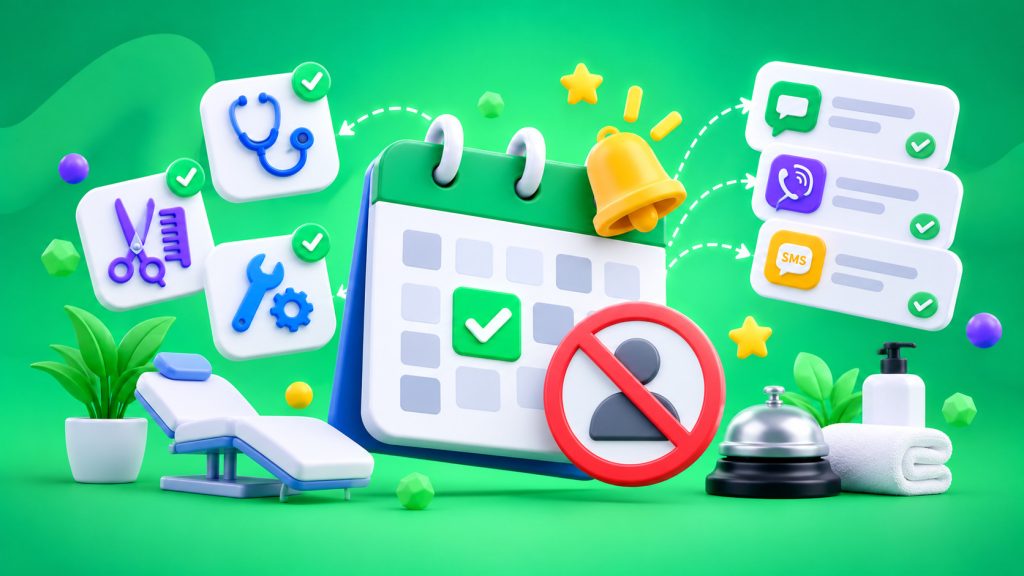
A customer booked an appointment two weeks ago, but on the day of the visit, they forgot about it or didn’t have time to notify the business about a change in plans. An empty slot appears in the schedule, even though another customer could have used that time. These no-shows happen at clinics, beauty salons, and service businesses.
Automated messages won’t eliminate every no-show, but they can help reduce their number and free up appointment times for other customers in advance.
Why Reminders Work
Customers don’t always miss appointments intentionally. They booked in advance, the appointment got lost among other responsibilities, or their plans changed. A short reminder brings the appointment back to their attention and gives them an opportunity to confirm or cancel it ahead of time.
A review of medical appointment studies published in BMJ Open found that 15% of patients who received reminders missed their appointments, compared with 21% in the group without reminders. Results depend on the audience and booking process, but this is a strong reason to test reminders.
When to Send Messages
There is no single ideal time. For a short appointment, a reminder one day in advance is often enough. If a customer is planning a complex procedure, consultation, or lengthy service, confirming the appointment earlier can be useful so there is still time to adjust the schedule.
A practical workflow: immediately after booking — confirm the date, time, and address. One day before the appointment — send a reminder asking the customer to confirm. A few hours before — send a short message if appropriate.
Start with a confirmation and one reminder, then review the results and customer responses.
Let Customers Confirm or Cancel Appointments
A message saying “This is a reminder of your appointment tomorrow at 3:00 PM” provides information but doesn’t help if plans have changed. It’s better to explain right away how to confirm the appointment or notify the business about a cancellation.
For example: “This is a reminder of your salon appointment tomorrow at 3:00 PM. Reply to this message to confirm your visit, or call us to reschedule.”
If a customer cancels, the system should update the status in the CRM or booking software. Otherwise, the receptionist will continue expecting the customer, and the available appointment time will go unnoticed.
Reuse Available Appointment Slots
If a customer cancels in advance, offer the available time to customers on the waiting list. To do this, the schedule must update after every response.
How to Automate the Process
After an appointment is booked, the system sends messages automatically. You can use the SMS Club API for this. The template automatically includes the customer’s name, date, time, and address. If the appointment is rescheduled or canceled, the scheduled reminder is updated or stopped.
SMS Club supports automated messages and integrations with CRM systems and appointment management software. For example, the Beauty Pro integration allows businesses to schedule appointment reminders at a specified time. After an appointment changes, the customer receives a message with updated information.
It’s useful to save the confirmation status in the appointment record so the receptionist can see which customers need a phone call.
If Viber is the primary channel, set up a backup SMS in case a message isn’t delivered. This reduces the need to manually duplicate every reminder.
What to Include in the Message
A reminder should be short and specific. Customers need the business name, date, time, and a way to change their appointment. Don’t overload SMS messages with advertising. The purpose of the message is to help customers avoid missing their appointments. Businesses can use SMS messaging for business for these notifications.
For clinics, it’s important not to include unnecessary medical details in the message. A neutral statement about the scheduled appointment, its time, and contact information for rescheduling is enough. Check that the phone number is correct and that the customer has agreed to receive service messages.
How to Know if the System Is Working
Compare the no-show rate before and after implementation. Track advance cancellations, rescheduled appointments, and available slots that were successfully filled again separately. The number of SMS messages sent doesn’t prove anything on its own. What matters is whether there are fewer empty appointment slots and whether customers notify the business about changes in plans more often.
Automated reminders don’t replace quality service, but they reduce forgotten appointments and manual phone calls. Start with a simple workflow and adjust it based on your own data.
Frequently Asked Questions
How many reminders should you send before an appointment?
Start with a confirmation after booking and one reminder the day before the appointment. If the service requires preparation, notify the customer earlier. Adjust the frequency based on no-show data and customer responses.
What should an SMS appointment reminder include?
Include the business name, date, time, and a way to confirm or reschedule the appointment. Keep the message short and free of advertising. For healthcare providers, don’t include details about the procedure or the patient’s health condition.
What should you do if a customer cancels an appointment?
Immediately update the status in the booking system and stop any upcoming reminders. If you have a waiting list, offer the available appointment time to another customer. This way, an advance cancellation won’t turn into an empty appointment slot.
Can SMS reminders help reduce no-shows?
Studies of medical appointments show that text reminders are associated with lower no-show rates. The effect depends on the audience and booking process, so compare your own performance metrics before and after implementation.