
What Customer Data Should Be Shared Between a CRM and a Messaging Service to Automate Communication?
Contents:
Contents:
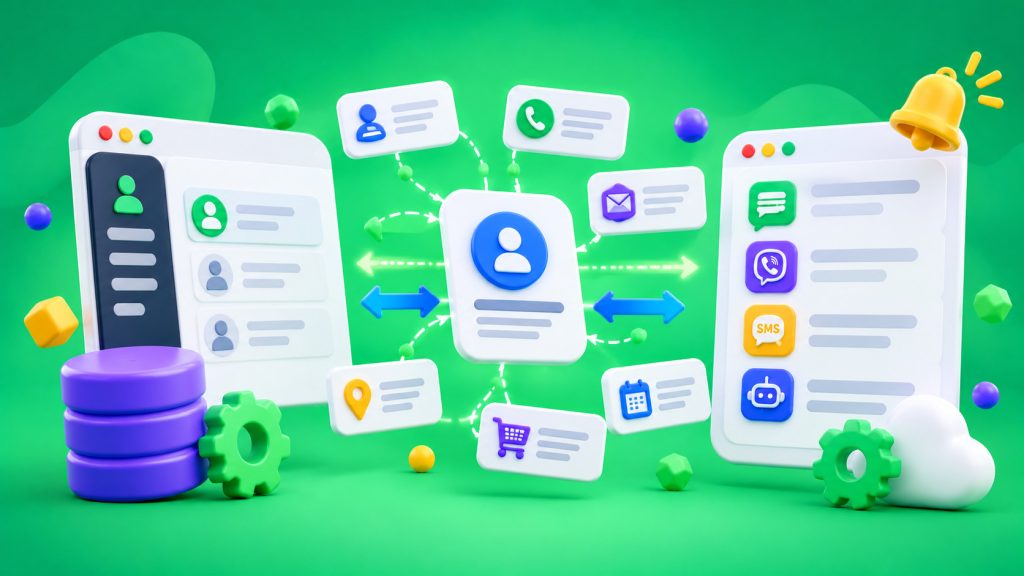
Automated messages work when systems exchange up-to-date data. A CRM knows who submitted an inquiry, whether an order has been paid for, and when an appointment is scheduled. A messaging service sends SMS messages or messages through another channel. If only a phone number and message text are shared, automation may not always work at the right moment.
Before setting up an integration, determine which fields are needed for each workflow, where they come from, and which system is responsible for keeping them up to date. Businesses can use SMS Club integrations to exchange data.
1. Customer ID and Contact Information
You typically need the customer’s internal ID in the CRM, phone number, and, if necessary, name for personalization. Phone numbers should be transferred in a consistent format, preferably international. Otherwise, systems may create duplicate records or fail to find the correct contact.
Don’t transfer every field from a customer record “just in case.” If a phone number and appointment time are enough for a reminder, the customer’s home address and date of birth aren’t necessary.
2. Event and Message Context
A phone number alone doesn’t explain when or what to send. Automation needs an event: a new inquiry, appointment confirmation, order status change, payment, or upcoming appointment.
Transfer the date and time of the event and only the variables needed in the message. For a reminder, these are the time and address. For a delivery notification, they are the order number and current status.
Also define cancellation conditions. If an order has been paid for, the payment reminder should stop. If an appointment is rescheduled, the old message shouldn’t remain in the queue.
3. Communication Channel and Permissions
Sending a message requires a channel, message language, and, if necessary, a preferred time. If the primary channel fails to deliver a message, a backup SMS is triggered according to a predefined rule.
Store communication preferences separately: which messages the customer agreed to receive, when and where consent was obtained, and whether it has been withdrawn. Service messages and promotional offers shouldn’t be combined into one category. Determine the legal basis and consent rules before launching the workflow.
Ukraine’s Law “On Personal Data Protection” requires defining the purpose of data processing and avoiding excessive data collection.
4. Templates and Variables
An integration can transfer a template code and variables to be inserted: name, order number, date, time, or a link to a status page. This allows templates to be updated without rebuilding the integration. Businesses can also use ready-made SMS Club integrations to set up data exchange.
Check required fields before sending messages. Otherwise, customers may receive a blank time field or technical text instead of an order number.
5. Delivery Status and Results
The data exchange shouldn’t end after the “Send” command. The CRM needs a response from the service: the request was accepted, the message was delivered, rejected, or the delivery time expired.
The SMS Club API allows you to obtain a message ID and check its status. Store the ID, channel, sending time, result, and error code if an error occurs. Don’t confuse a request being accepted by the service with actual delivery to the phone.
6. What Data Should Be Sent Back to the CRM
Return the status, message ID, and the time the status changed from the messaging service, along with the reason for an error, if available. This helps determine whether a customer received a reminder and calculate the percentage of successful deliveries.
If a customer replies to a message, also transfer the reply, the time it was received, and the conversation ID. For example, “I confirm” should change the appointment status, not simply be saved in the history.
7. Security and Testing
Don’t transfer passwords, complete payment information, or sensitive data that isn’t needed for the message. Restrict access to API tokens, store them in a secure environment, and grant permissions only to the systems that need them.
Before launching, test a new inquiry, status change, cancellation, undelivered message, and repeated event. Check whether duplicate records are created and whether unnecessary reminders are stopped.
The best integration doesn’t transfer the most data — it transfers the right fields at the right time. The CRM manages customer information and inquiry status, while the messaging service handles sending messages and delivery status.
Frequently Asked Questions
What data needs to be sent from a CRM for SMS messaging?
You typically need a phone number, message text or template code, personalization variables, and an event that triggers sending. For tracking purposes, also store the message ID and delivery status.
Do you need to transfer the entire customer record?
No. Transfer only the data needed for a specific workflow. For an appointment reminder, a phone number, date, and time are usually enough. Excessive fields increase the risk of data leaks and make the integration harder to maintain.
Why send SMS delivery status back to the CRM?
Delivery status helps distinguish an accepted request from a delivered message, identify errors, and avoid unnecessary duplicates. It also helps managers understand whether customers received important reminders.
How can you transfer data more securely?
Use a secure connection, restrict access to tokens, and transfer only necessary fields. Define the purpose of data processing and access rules, and test the integration with sample records before launching.