

Website Lead Form: How to Automate Processing and Avoid Losing Leads
Contents:
Contents:
A customer fills out a form on your website and clicks “Submit.” From their perspective, the request has already been sent to the company. Inside the company, however, the work is only beginning: the contact needs to be added to the CRM, a manager needs to be assigned, and the customer needs a response.
If some of these steps are handled manually, delays appear. The request sits in an inbox while the potential customer reaches out to competitors. That is why automation should start with what happens to the data after the form is submitted.
What Should Happen After a Form Submission
The simplest workflow looks like this:
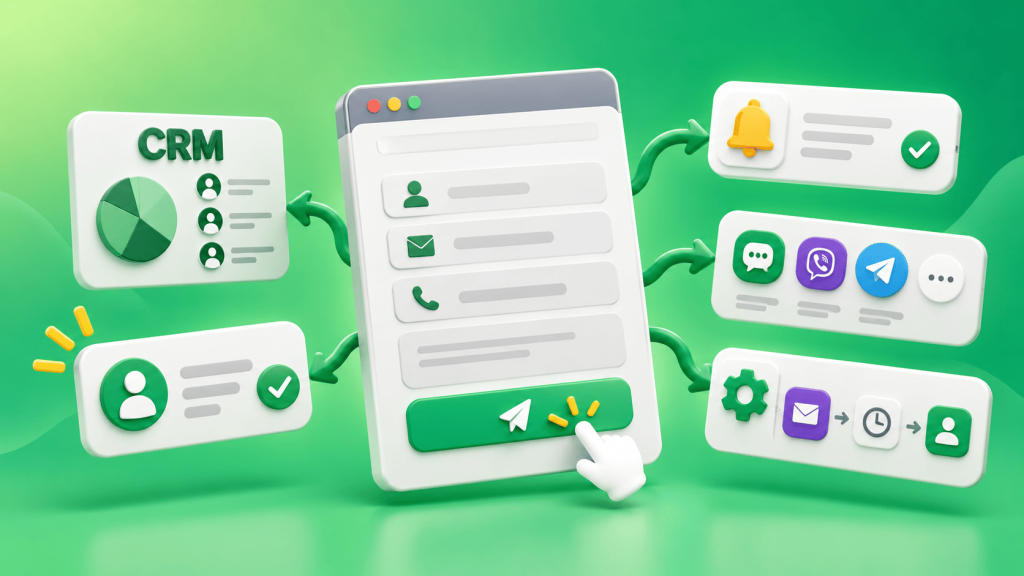
website form→CRM→assigned manager→customer confirmation→first contact.
The form sends the customer’s name, phone number, product, service, or other required information. The CRM immediately creates a record and saves the lead source. The system then assigns the lead to a manager, who receives a notification.
At the same time, the customer receives a short SMS or Viber message confirming that the request was received and is already being processed. SMS Club supports trigger-based messages after actions on a website or changes to a lead record, as well as integrations with CRM, CMS, and e-commerce platforms.
Do Not Keep Your Form Tied Only to Email
When leads are sent only to email, a message can easily get lost among other emails or be opened too late.
A better option is to send the form data directly to the CRM. There, the lead receives a status, an assigned manager, and a creation timestamp. If there is no ready-made integration, the data transfer can be configured through an API. SMS Club provides an API for automatically triggering SMS messages and exchanging data between systems.
Confirm Receipt Immediately
After submitting a form, customers should not have to wonder whether it worked. If a manager will respond later, it is better to send an immediate confirmation by SMS or Viber.
The message should explain the next step: “A manager will contact you today by 6:00 PM” or “We received your request. Expect a call within 15 minutes.”
Trigger-based messages work well for this purpose: they are sent automatically after a specific customer action or a change in the lead status.
Assign a Manager Automatically
The CRM should have a predefined rule for assigning leads—round-robin, by service category, city, product, or another parameter. As soon as the lead is assigned, the responsible manager should automatically receive a task.
It is also important to add a control mechanism. If the manager does not open the lead or change its status within a set period, the system can send a reminder or reassign the lead to another employee.
This way, a new lead does not depend on when a supervisor manually reviews the lead list and assigns someone to it.
Do Not Ask Customers to Repeat Information
The form has already collected the customer’s name, phone number, and selected service. That information should be transferred to the CRM together with the lead.
The CRM record should also include the lead source, selected product or service, comments, and any other information needed for the first conversation.
Do not collect information “just in case.” Keep only the fields that are needed before the first contact. If additional information is required to complete an order, the manager can ask for it during the conversation.
What to Do If the Manager Cannot Reach the Customer
Some potential customers will not answer the first call.
Instead of leaving the lead with a “no answer” status and no next step, create a separate follow-up workflow. The CRM creates another task, and the customer receives a short message explaining who called and why.
For example: “We called about the request you submitted on our website. If now is not a good time to talk, please expect another call.”
This way, one unsuccessful call does not end the process for a lead you have already paid to acquire. SMS Club supports trigger-based and transactional messaging for automated communication based on events and lead statuses.
Check Whether Leads Are Actually Coming Through
Even a well-configured form needs monitoring. After a website, CRM, or integration update, data transfer can sometimes stop working.
Periodically submit a test lead and follow the entire process: was the CRM record created, were all fields saved, was a manager assigned, and did the customer receive a message?
Check for duplicates as well. If a customer submits the form again, the system should not unnecessarily create multiple records or send the same messages repeatedly.
Which Metrics Should You Track?
For a website form, the number of submissions alone is not enough. You also need to know what happened afterward.
Track the time from form submission to first contact, the percentage of leads that receive no response, the number of successful contacts, conversion to sales, and reasons why leads are closed.
If leads are coming in consistently but some remain unprocessed for too long, the problem is no longer the form itself. If leads are not reaching the CRM or arrive without important information, the data transfer process needs to be fixed.
Good automation should look simple: the customer submits a form, receives confirmation, the CRM creates the lead, and the manager sees the context and starts working on it. The fewer manual handoffs there are, the lower the risk of losing a lead before the first conversation.
Frequently Asked Questions
Should a website lead form be connected to a CRM?
If a company receives leads regularly, connecting the form to a CRM makes the process much easier to manage. The CRM stores the submission time, customer information, assigned manager, and status, so the lead does not remain as a separate email in an inbox.
What should you send after a form submission: SMS or Viber?
It depends on the workflow and the communication channels you have configured. The main goal is to confirm receipt immediately and explain the next step. As a backup option, SMS Club also supports cascade messaging, sending an SMS if a Viber message is not delivered.
What information should be transferred from the form to the CRM?
Transfer the contact information and any details the manager needs for the first conversation: the selected service or product, comments, lead source, and other important fields.
How do you know whether the automation is working?
Test the entire workflow with a test submission and monitor the time to first contact, the number of unprocessed leads, and the percentage of leads that convert into sales. If no data is being lost and managers can respond without manually searching for leads, the automation is doing its job.